

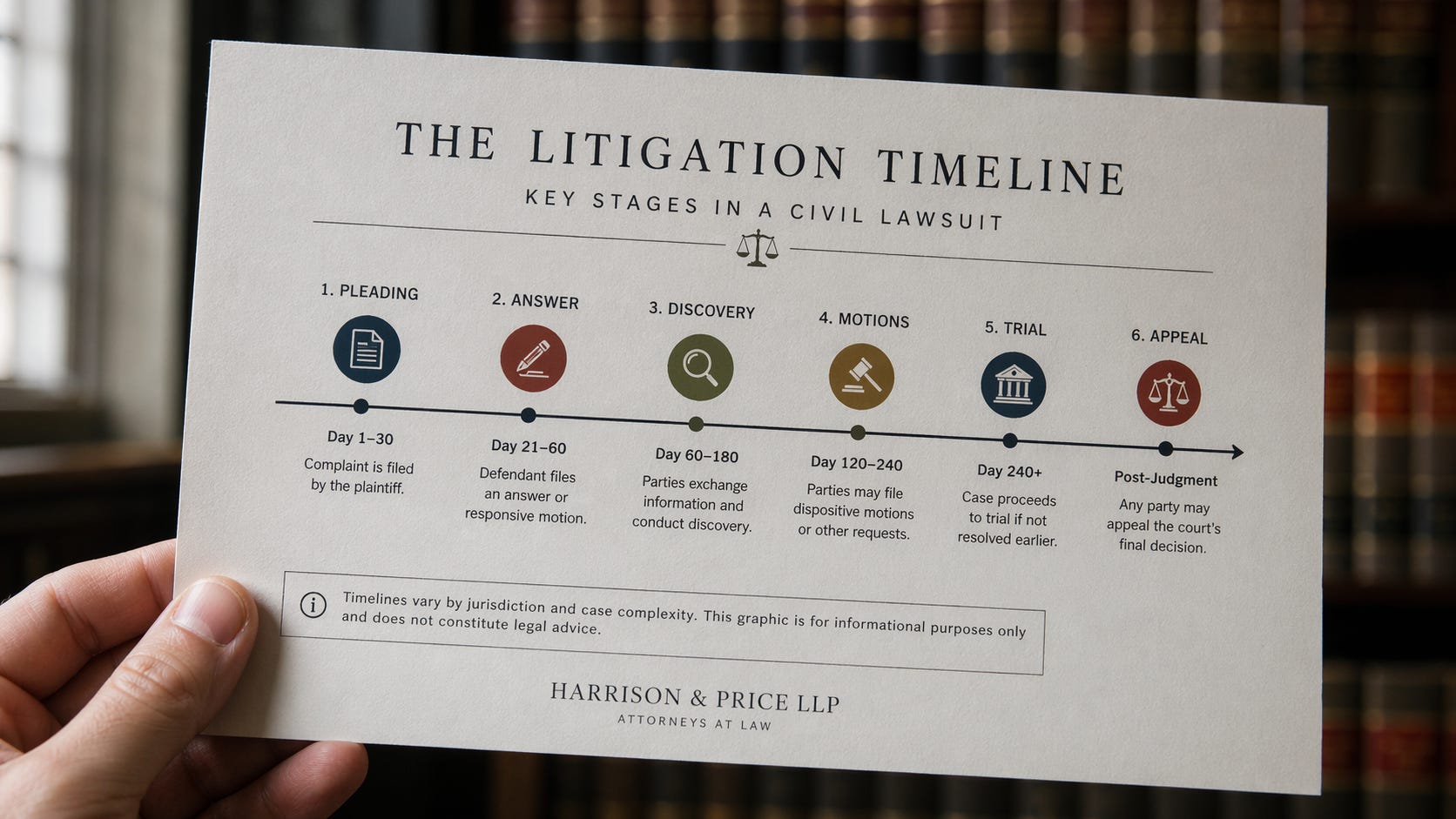
ChatGPT Images 2.0 Is a Real Tool for Lawyers Now
TL;DR: OpenAI shipped ChatGPT Images 2.0 yesterday. The new model, ChatGPT Images 2.0, follows prompts more precisely, renders readable text inside images, and can generate up to eight consistent visuals from a single prompt. Paid tiers get an “images with thinking” mode that plans and verifies before it draws. For the first time, I can build a timeline, a storyboard, or an entity chart in one shot and hand it to a partner without rebuilding it in Illustrator. Five real examples below.
The moment I stopped fighting it
I’ve been trying to use AI image tools in actual legal work for about two years. Every time, the same thing happens. The picture looks great from six feet away. Then you zoom in and the labels say “Plainitff” and “Defendnat.” The timeline reads left to right but the arrows point the wrong way. The entity boxes overlap. You send it back. It gets worse.
So you open Visio. Or PowerPoint. Or you call the graphics team and wait three days.
That’s the part that changed yesterday.
What OpenAI actually shipped
ChatGPT Images 2.0 went live on April 21, 2026, across ChatGPT, Codex, and the API. The model is officially called gpt-image-2 (the internal model name), and it replaces DALL-E 3, which gets retired on May 12. Output goes up to 2,000 pixels wide, aspect ratios run from 3:1 to 1:3 (finally, real infographic dimensions), and the model can produce up to eight consistent images from one prompt. You can get 2K images in the web interface and 4k images in the API.
The big shift is reasoning. Paid plans get an “images with thinking” mode where the model plans the layout, checks its work, and can pull facts from the web mid-generation. That sounds like marketing until you watch it catch its own spelling error on a demonstrative before it finishes rendering.
Why this matters for law firms
Here’s the thing about visuals in legal work. They either do real work or they’re filler. A good trial demonstrative can carry a jury through facts that a 40-page brief cannot. A bad one confuses everyone and costs you credibility. Most firms sit somewhere in between because the cost of making good ones is high and the time pressure is higher.
ChatGPT Images 2.0 changes the math on that tradeoff. Not every visual needs to be Exhibit A quality. A lot of them just need to be clean, readable, and fast. That’s where this model earns its keep.
Let me show you what I mean.
Five things I tried yesterday
1. An infographic
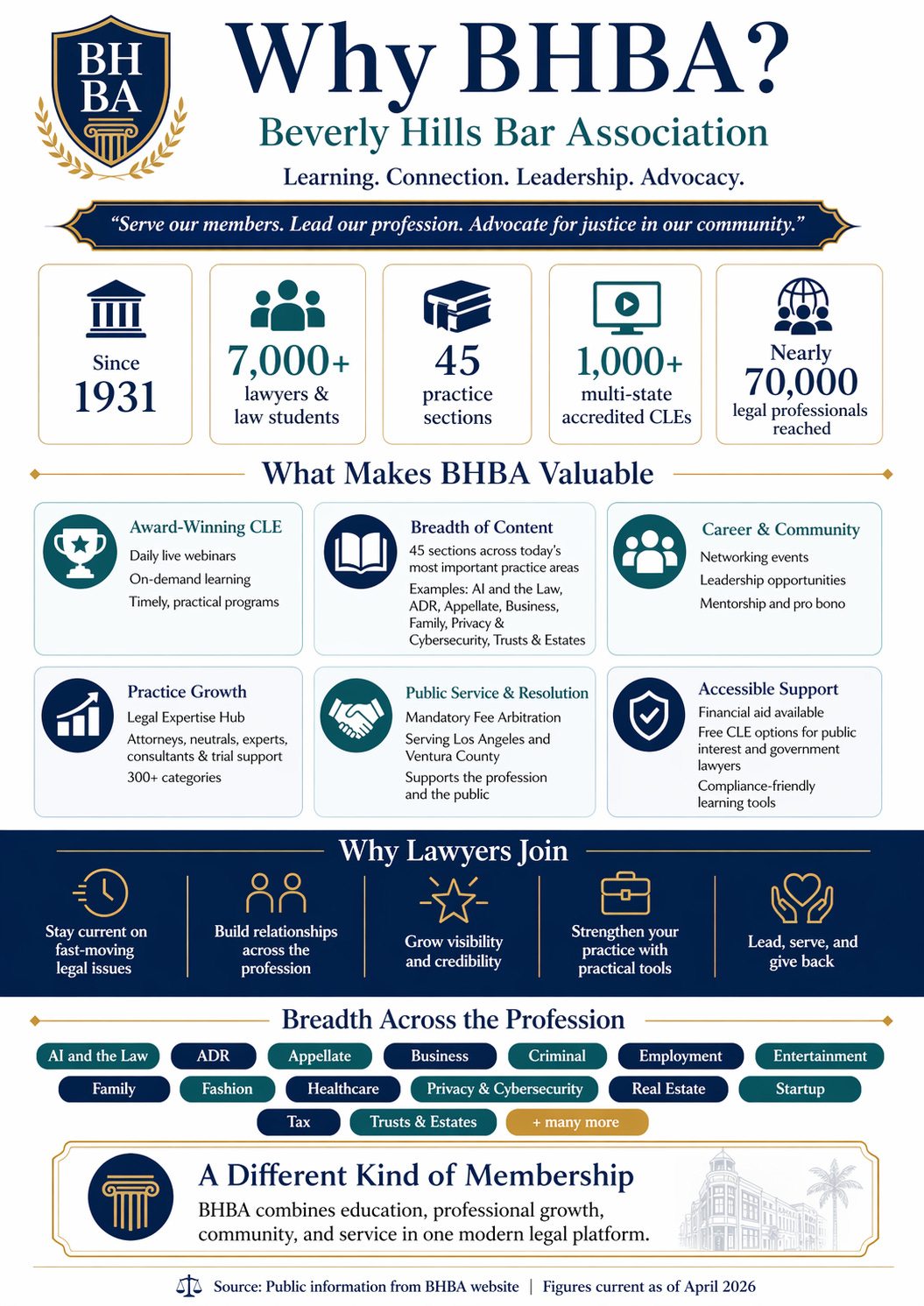
Prompt: “Go research the Beverly Hills Bar Association (BHBA). Create a compelling infographic that they can use in marketing materials that highlights the value the bring, the breadth of content, the capabilities, reasons to join, and more.”
2. An accident storyboard
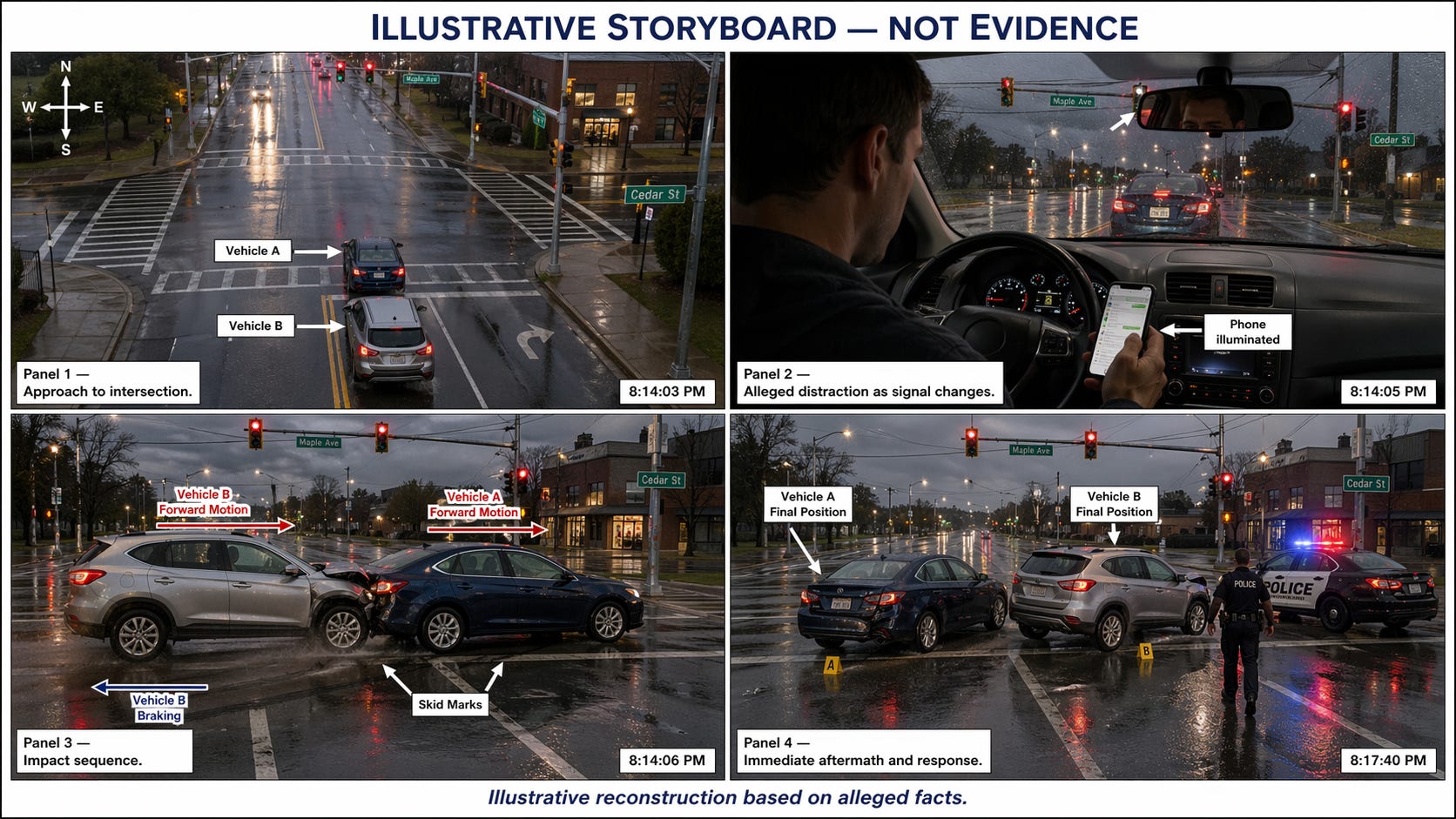
Prompt: “Create a 4-panel litigation demonstrative storyboard for a fictional rear-end collision at a rain-slick intersection, clearly labeled as an illustration and not evidence. Panel 1: wide overhead view of the intersection with street names and signal lights; Panel 2: driver looking down at a phone as the light turns red; Panel 3: impact sequence with motion arrows and skid marks, non-graphic and neutral; Panel 4: immediate aftermath with police arrival and vehicle positions. Keep the same cars, weather, lighting, and street geometry across all panels. Add small captions, time stamps, directional arrows, and a footer that says “Illustrative reconstruction based on alleged facts.” Style: realistic courtroom demonstrative, sober and precise, not sensational. Photorealistic.”
3. An entity control chart
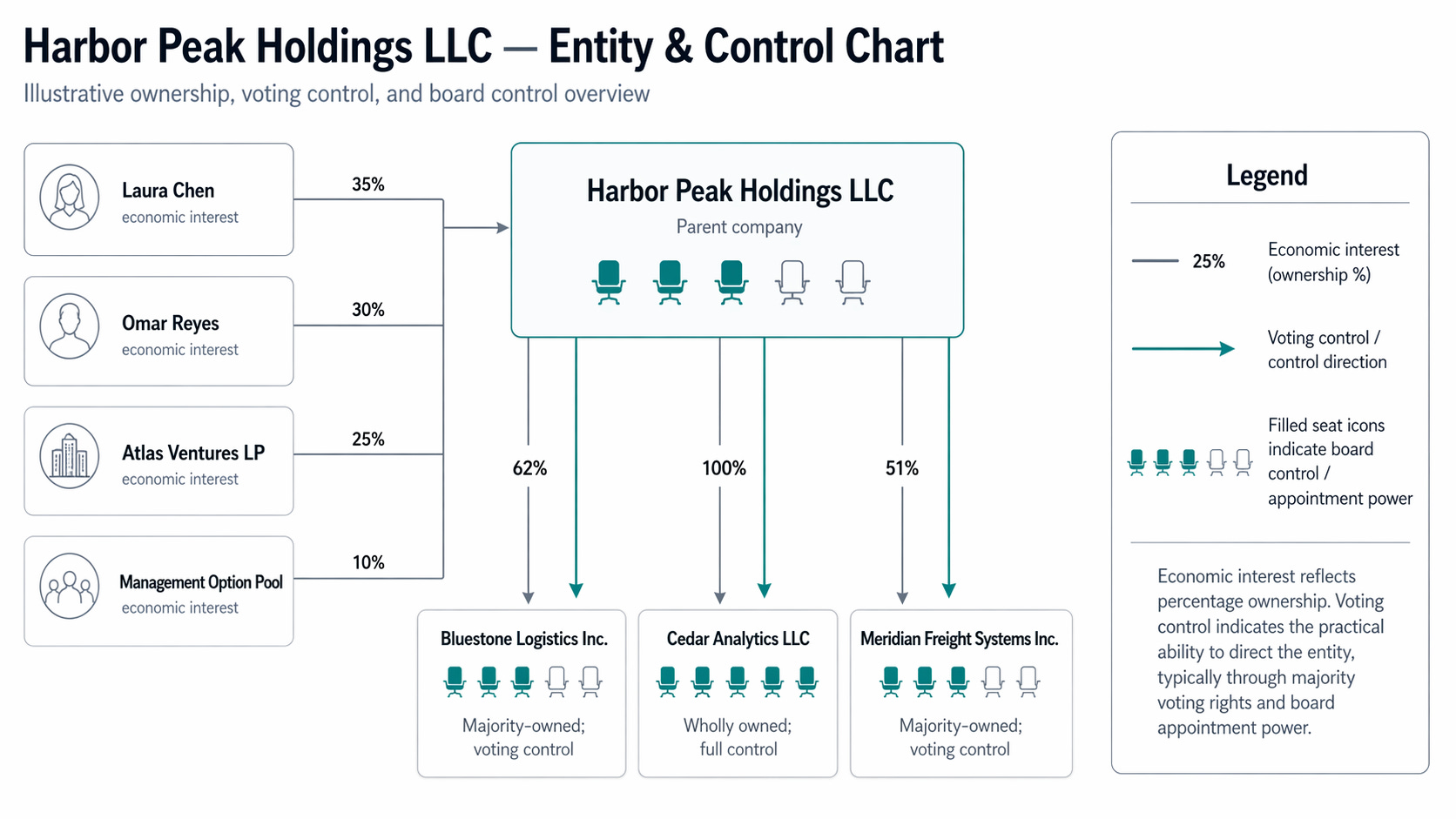
Prompt: “Create a beautifully clear entity and control chart for a fictional private-company dispute. Parent company: Harbor Peak Holdings LLC. Subsidiaries: Bluestone Logistics Inc. (62%), Cedar Analytics LLC (100%), Meridian Freight Systems Inc. (51%). Individual owners of Harbor Peak: Laura Chen 35%, Omar Reyes 30%, Atlas Ventures LP 25%, management option pool 10%. Show ownership percentages, control arrows, board-seat icons, and a right-side legend explaining voting control vs. economic interest. Use a premium M&A-slide aesthetic: white background, crisp small text, thin connector lines, subtle slate and teal accents, beautifully organized boxes, zero clutter, fully presentation-ready.”
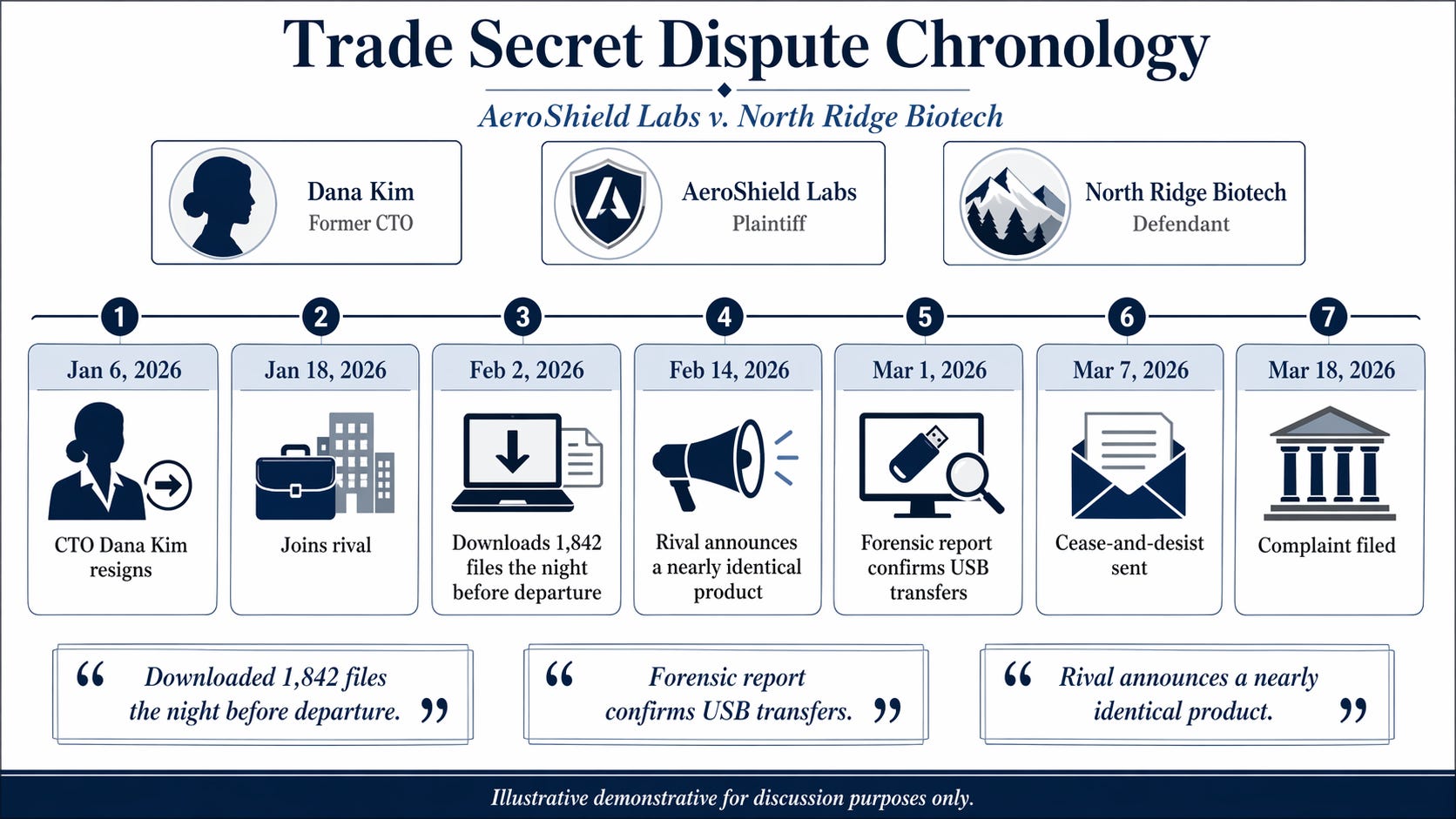
4. A trade secret dispute chronology
Prompt: “Create a premium litigation chronology board for a fictional trade secret dispute between AeroShield Labs and North Ridge Biotech. Facts to visualize: Jan 6, 2026 CTO Dana Kim resigns; Jan 18 joins rival; Feb 2 downloads 1,842 files the night before departure; Feb 14 rival announces a nearly identical product; Mar 1 forensic report confirms USB transfers; Mar 7 cease-and-desist sent; Mar 18 complaint filed. Design a clean 16:9 legal demonstrative with a left-to-right timeline, event cards, short captions, elegant icons, three key-player portraits or silhouettes, and three exhibit-style pull quotes. Style: elite law-firm mediation board, restrained navy/gray palette, crisp readable typography, white background, serious and polished. Add footer text: “Illustrative demonstrative for discussion purposes only.” Do not invent extra facts.”
5. Internal training material
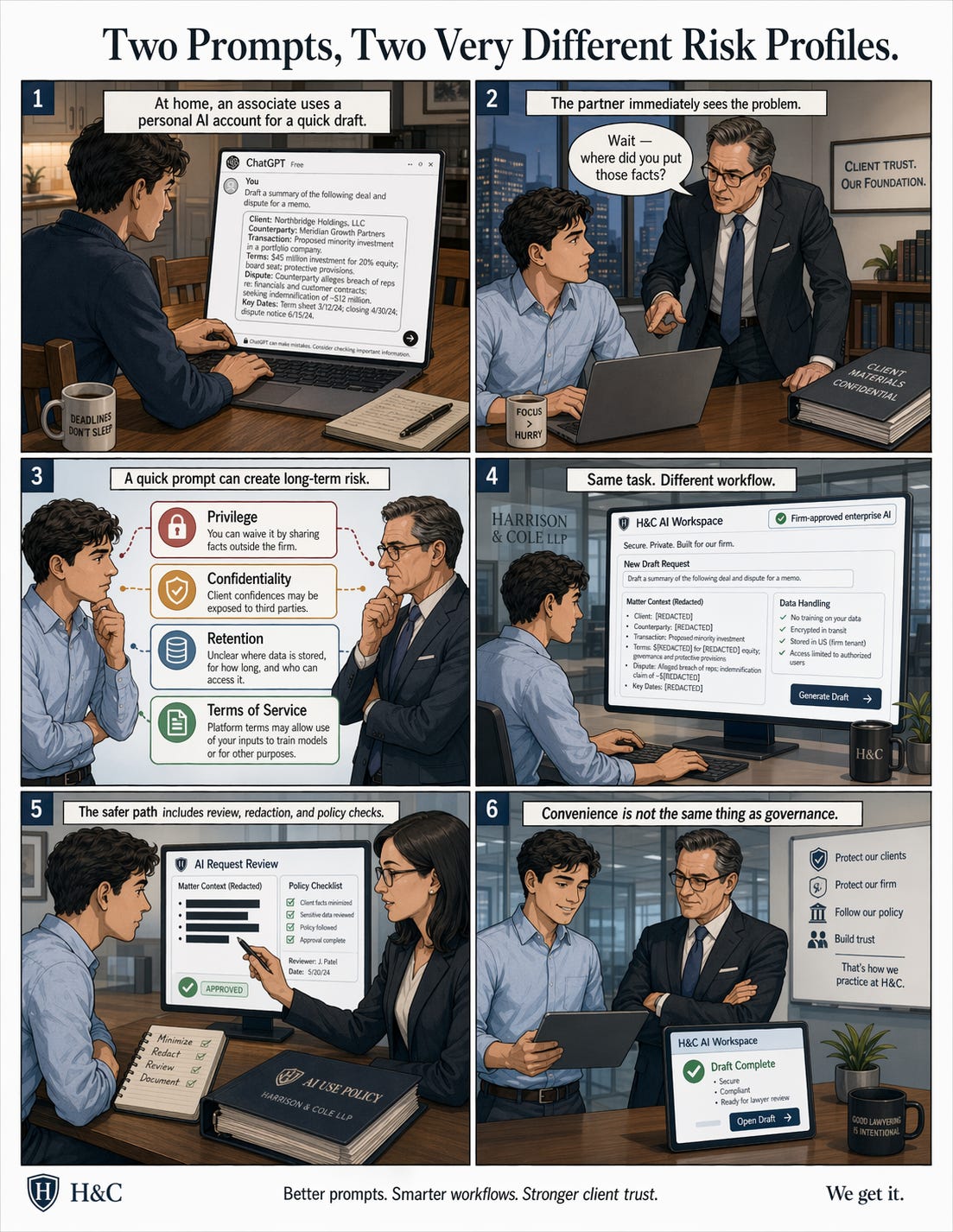
Prompt: “Create a one-page, 6-panel editorial training comic for lawyers titled “Two Prompts, Two Very Different Risk Profiles.” Storyline: Panel 1 associate pastes sensitive client facts into a personal consumer AI account at home; Panel 2 partner notices and looks alarmed; Panel 3 freeze-frame with callouts: privilege, confidentiality, retention, terms of service; Panel 4 the same associate uses the firm-approved enterprise workflow instead; Panel 5 secure review process with redacted facts, policy checklist, and approval steps; Panel 6 ending panel with the caption “Convenience is not the same thing as governance.” Style: sophisticated editorial comic, law-firm setting, readable captions, consistent characters, modern and serious with a light touch of wit, no goofy cartoon energy.”
The tradeoffs you need to know about
This isn’t a replacement for a trial graphics team. You still need one of those for courtroom-quality work that has to survive cross. What this replaces is the thirty minutes you used to spend in PowerPoint making a mediocre version yourself, or the $800 you paid a freelance designer to turn a rough sketch into something presentable.
A few things to watch. The model still hallucinates. It will invent a statute number or a date if you aren’t specific, and it will misspell a party name on roughly one out of every few generations. Proofread every word that lands inside an image.
But the bigger risk is the thinking mode that pulls from the web during generation. Great for accuracy on generic diagrams. Bad for confidentiality. Do not hand it privileged facts and ask it to go look things up. Use standard mode for anything client-related, or use an enterprise tier with the right data protections in place.
Third tradeoff worth flagging: cost. API pricing runs about $0.21 for a standard 1024×1024 image. Thinking mode adds reasoning tokens on top, which can push a layout-heavy visual meaningfully higher. For most firms that’s still cheaper than a designer, but it’s not free. Budget accordingly.
What to do Monday morning
If you’re a managing partner or a practice group leader, here’s a short list of moves that matter this week.
Try it yourself on a real piece of work. Pick one demonstrative or training slide you’d normally outsource and rebuild it in ChatGPT. Twenty minutes, tops.
Update your AI usage guidance. If your policy says “no image generation for client matters,” it’s time for a revision. The right guidance is probably about confidentiality mode, not a blanket ban.
Flag it for your CLE and training team. Internal education materials are the lowest-risk, highest-value use case. Start there.
Put it in front of your trial graphics team, not around them. They’ll know within an hour what it can and can’t do, and they’ll use it to draft faster.
The part that sticks
The old complaint about AI image tools was that they made pretty pictures for people who didn’t need pictures. This one makes useful pictures for people who do.
That’s a different product.
For years, AI image tools have been a sidebar for legal work. Cute, sometimes clever, rarely usable. What shipped yesterday is the first version I'd put in front of a partner without apologizing for it, and the first one that changes the real math on how firms build visuals. If your team is thinking about where this fits, what to ban, and what to start piloting this quarter, I'm happy to talk it through. Reach me at steve@intelligencebyintent.com. The firms that figure out the right rails for this in the next ninety days will spend the rest of the year pulling ahead of the ones that don't.