

Why Claude Cowork Changes Everything for Non-Technical Professionals
You’ve probably heard about Claude Code. Maybe you’ve seen developers rave about it on social media or watched a colleague’s engineer ship features twice as fast. And you’ve probably thought: That’s nice, but I don’t write code.
Fair. But here’s the thing: Anthropic just made that capability available to everyone. It’s called Cowork. And as of this week, it comes with plugins that turn Claude into a specialist for your job function. Including one built specifically for legal teams.
TL;DR: Cowork brings Claude Code’s agentic capabilities to knowledge workers. You give Claude a goal, access to your files, and it delivers finished work. The new plugin system lets you customize Claude for specific roles like sales, legal, and finance. For legal professionals, this means automated contract review, NDA triage, and compliance workflows that actually follow your firm’s playbook.
What Cowork Actually Does
In a normal Claude conversation, you type something, Claude responds, you type again. Back and forth. Cowork flips that.
You describe an outcome, give Claude access to a folder on your computer, and step away. Claude makes a plan, works through it, and loops you in when it needs direction or hits a decision point.
Think about what that means for work you actually do. Instead of uploading a document, asking Claude to summarize it, copying the output, pasting it somewhere else, and repeating that forty times, you point Claude at a folder and say “organize these by date and client, summarize each one, create a master index.” Then you go get coffee.
The difference isn’t convenience. It’s the difference between using a calculator and having an assistant who understands the whole task.
Why Plugins Matter
Here’s the problem with general-purpose AI: it doesn’t know how your team works. It doesn’t know your terminology, your approval processes, or where you keep the templates you’ve refined over years.
Plugins fix that. Each one bundles together skills (domain expertise Claude draws on automatically), connectors (links to your actual tools like CRMs, document systems, project trackers), and slash commands (specific actions you can trigger).
Anthropic released 11 plugins this week covering productivity, enterprise search, sales, finance, data analysis, legal, marketing, customer support, product management, and biology research. They’re all open source, so you can customize them or build your own.
The key insight: you define what goes in the plugin once, and Claude pulls from that context whenever it’s relevant. Your sales team’s process for qualifying leads. Your finance team’s reconciliation checklist. Your legal team’s contract playbook. It gets baked into how Claude works.
What the Plugins Cover
Productivity handles tasks, calendars, and daily workflows. Connects to Slack, Notion, Asana, Linear, Jira, Microsoft 365.
Enterprise Search queries across all your company’s tools in one place. Email, chat, documents, wikis. One query, unified results.
Sales connects to HubSpot, Close, Clay, ZoomInfo. Research prospects, prep for calls, review pipeline, draft outreach. The plugin encodes your actual sales process, not a generic template.
Finance handles journal entries, reconciliation, financial statements, variance analysis. Connects to Snowflake, Databricks, BigQuery.
Data is for anyone querying, visualizing, and interpreting datasets. Write SQL, run statistical analysis, build dashboards.
Marketing supports content drafting, campaign planning, brand voice enforcement, performance reporting. Connects to Canva, Figma, HubSpot.
Customer Support triages tickets, drafts responses, packages escalations, turns resolved issues into knowledge base articles.
Product Management helps write specs, plan roadmaps, synthesize user research, track competitive landscape.
And then there’s Legal.
The Legal Plugin: What It Actually Does
I want to spend some time here because this is where I see the most immediate value for the firms I work with.
The legal plugin automates contract review, NDA triage, compliance workflows, legal briefings, and templated responses. And critically, it’s configurable to your organization’s playbook and risk tolerances.
It’s built for commercial counsel, product counsel, privacy and compliance teams, and litigation support. Here are the specific commands:
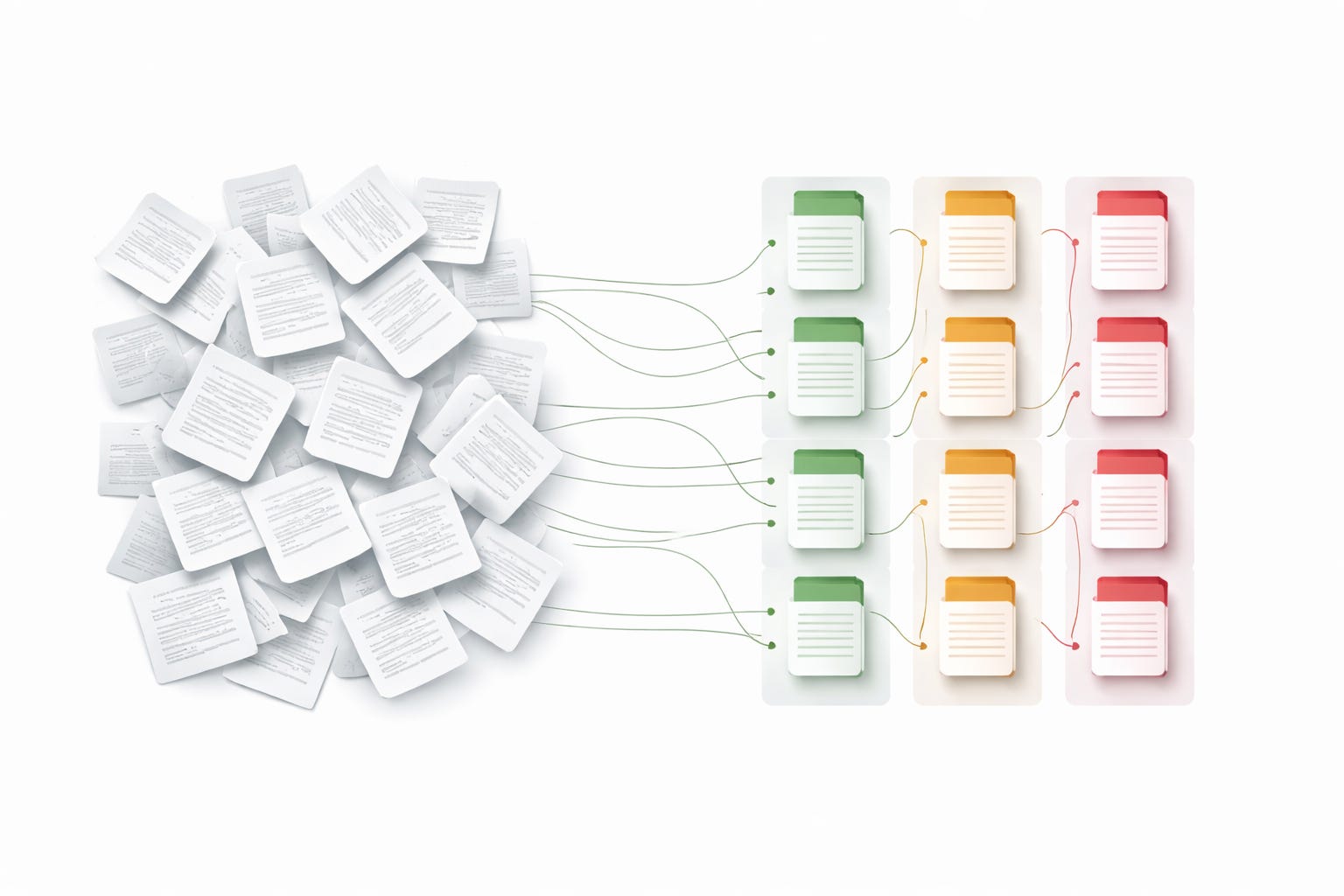
/review-contract reviews contracts clause-by-clause against your configured negotiation playbook. Uses a GREEN/YELLOW/RED flag system with specific redline suggestions. Not generic feedback. Actual edits based on your firm’s positions.
/triage-nda does rapid NDA pre-screening. Categorizes incoming NDAs into three buckets: standard approval, counsel review, or full review. This alone could save hours of attorney time each week.
/vendor-check checks vendor agreement status. Simple, but useful when you’re managing dozens of active relationships.
/brief generates contextual briefings. Daily briefs, topic research, incident response. You define the format; Claude populates it.
/respond creates templated responses for common inquiries like data subject requests and discovery holds. The emails attorneys write dozens of times per year with slight variations.
You configure your playbook in a local settings file. Standard positions, acceptable ranges, escalation triggers. Connect your document management, chat, and project tracking tools. Claude handles the first pass; attorneys make final calls.
What This Looks Like in Practice
Let me give you three scenarios.
Scenario 1: NDA Pile-Up. Your in-house team gets 30 NDAs per week. Most are standard. Some have unusual clauses. A few need full negotiation. Right now, someone opens each one, scans for problems, routes it appropriately. With the legal plugin, you point Claude at the incoming folder. It categorizes each NDA, flags specific concerns, creates a prioritized queue. The attorney reviews the queue, not the pile.
Scenario 2: Contract Review Before Signature. A 47-page vendor agreement lands on your desk. The business team wants it signed by Friday. You’ve got your standard positions documented somewhere, but comparing this contract against your playbook takes time. With /review-contract, Claude walks through clause-by-clause, flags departures from your positions, suggests specific redlines. You review the flags, accept or modify, respond in hours instead of days.
Scenario 3: Discovery Hold Response. You receive a preservation notice. You need to issue a litigation hold to relevant custodians. The email template exists somewhere. You need to customize it. With /respond, you specify the matter details and Claude drafts the hold notice using your firm’s template. Review, adjust if needed, send.
Same pattern in all three cases: Claude handles the structured, repetitive portion. Attorneys handle judgment and final decisions.
What This Means for Your Practice
I’ve trained over 1,000 organizations on AI implementation. The pattern I see is clear: firms that figure out how to encode their processes into AI workflows get much faster without sacrificing quality. Firms that wait for perfect solutions stay stuck.
Cowork with plugins is the most accessible path I’ve seen to that kind of change. You don’t need developers. You don’t need to touch the API. You need a clear understanding of your own processes and the willingness to try.
What to Do Monday Morning
Download Claude Desktop for macOS if you haven’t already (Cowork is currently Mac-only in research preview)
Open Cowork and install the legal plugin from the plugin marketplace
Pick one workflow that eats your time. NDA triage is a good starting point.
Give it a real test with real documents (anonymized if needed for sensitive matters)
Note what works and what needs adjustment. Customize the plugin to match how your team actually operates.
The technology is here. The question is whether you’ll use it before your competitors do.
Why I write these articles:
I write these pieces because senior leaders don’t need another AI tool ranking. They need someone who can look at how work actually moves through their organization and say: here’s where AI belongs, here’s where your team and current tools should still lead, and here’s how to keep all of it safe and compliant.
In this article, we looked at what changes when AI can work autonomously on a goal instead of waiting for your next prompt. Cowork with plugins isn’t magic. It’s a way to encode your existing playbooks into an AI workflow so the structured, repetitive work gets handled while your team focuses on judgment calls. Whether that’s legal reviewing contracts, sales prepping for calls, or finance reconciling accounts, the pattern is the same: you define the process once, and Claude pulls from it automatically. The market is noisy, but the path forward is usually simpler than the hype suggests.
If you want help sorting this out:
Reply to this or email me at steve@intelligencebyintent.com. Tell me what’s slowing your team down and where work is getting stuck. I’ll tell you what I’d test first, whether Cowork’s plugin system fits your current workflows, and whether it makes sense for us to go further than that first conversation.
Not ready to talk yet?
Subscribe to my daily newsletter at smithstephen.com. I publish short, practical takes on AI for business leaders who need signal, not noise.