


Claude for Word: A Quick Look, and the Detail That Actually Matters
TL;DR: Claude for Word runs inside Word’s sidebar, uses native track changes, and answers questions about your document with clickable citations. It can also pull from open Excel and PowerPoint files if those add-ins are running too. Still in beta. The detail worth paying attention to: edits made through the actual add-in show up under your own name in the tracked changes. Run the same request through Claude’s web interface, Cowork, or ChatGPT, and the AI gets the byline instead, unless you tell it otherwise.
I’ve got a ridiculous one-sided NDA sitting in my files. It’s about cats, don’t ask. I uploaded it to four different tools: the Claude add-in for Word, Claude’s web interface, Cowork, and ChatGPT, and gave each one the same instruction: rewrite it to be about me and my dog Magnus instead, using track changes so I could see exactly what got touched. All four did the job in under a minute. But when I opened the redlined files side by side, one of them had done something the other three hadn’t, and none of them told me about it. I only noticed because I happened to check the author field on the changes. That’s when it clicked.
What Claude for Word Actually Does
It’s an add-in that puts Claude directly in Word, in a sidebar, so you stop bouncing between a chat window and your document. You can ask it what the liability cap is in a contract and it answers with a citation you click to jump straight to that clause. Highlight a paragraph and tell it to tighten the language. It only touches what you selected. The rest of the document stays put. It reads comment threads and replies in them. Every edit lands as a real tracked change, the same red-and-green markup you’ve always used, so you stay in control instead of playing spot the difference between two versions.
It’s available on Pro, Max, Team, and Enterprise plans, and it’s been out since the spring. Still in beta, which means Anthropic itself says: don’t send it straight to a client or file it with a court without a human reading every line first. That’s the right instinct, and it’s worth keeping in your head every time you use it.
Before You Turn It Loose
Three things to know going in. It asks before doing anything that could cause real damage, like overwriting content or going out to search the web, and you choose whether to allow it. Don’t flip that to always-allow out of impatience. You can pick which model handles the work, Sonnet for most editing and drafting, Opus when something needs more horsepower, like restructuring a genuinely tangled clause. What you can’t do is dial up how hard it thinks the way you can in some other Claude tools. For most document work that’s not a real limitation.
If you also have the Excel and PowerPoint add-ins open with cross-app turned on, Claude can pull from all three at once. Numbers from your model go straight into a memo, no copying, no re-explaining what the spreadsheet means. The files all have to be open at the same time for this to work, but once it’s running it feels less like three tools and more like one assistant working across your whole desk.
The Detail Nobody’s Mentioning
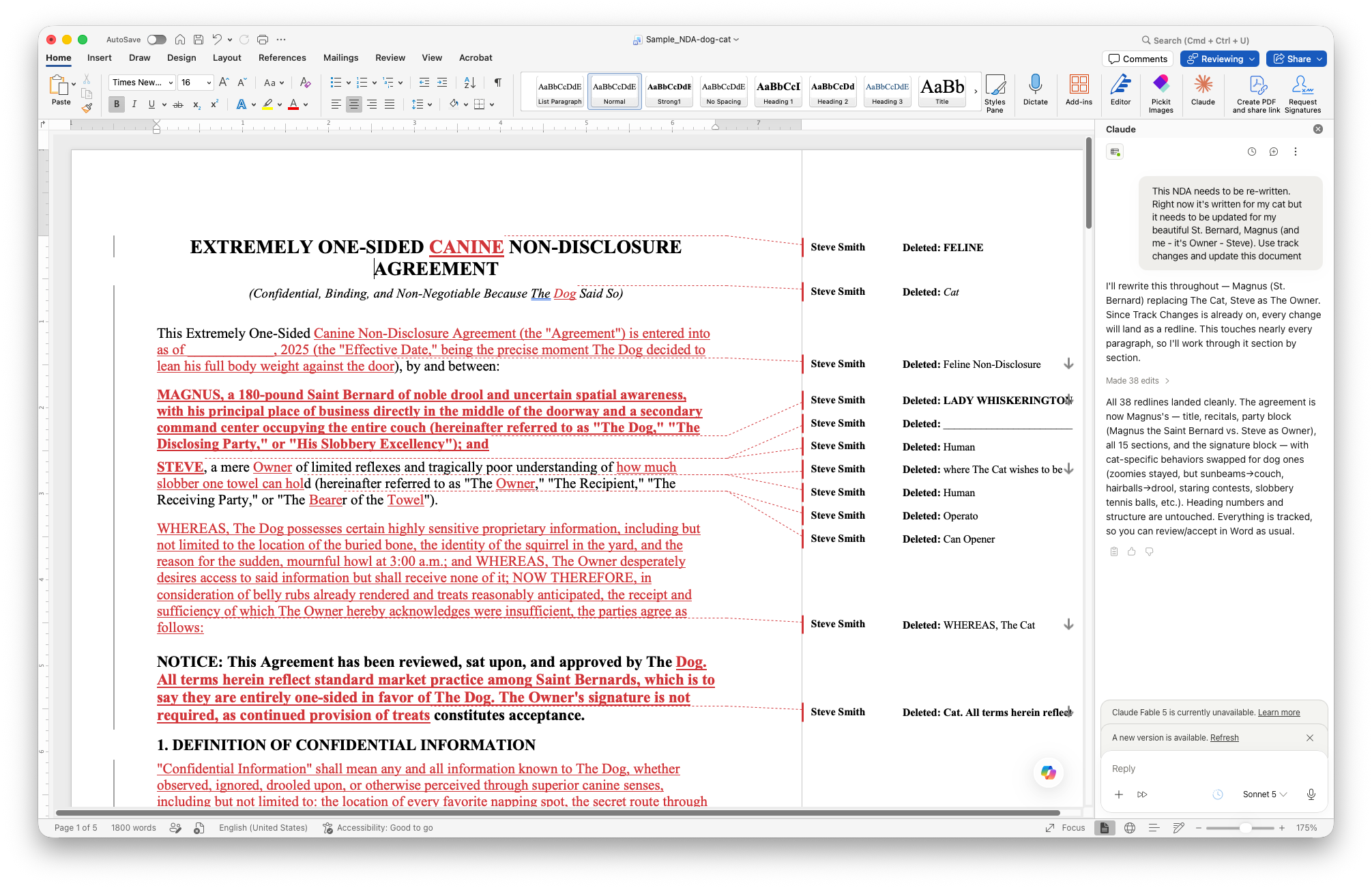
Back to the cat NDA. Of the four, the Word add-in was the one that broke pattern. The tracked changes showed up under my own name. Not Claude’s. Mine. Word has always pulled the author name on a tracked change from your account settings, the same way it would for a paralegal editing on your machine, and the add-in just inherits that. It isn’t doing anything unusual. It’s operating as you, inside your own document.
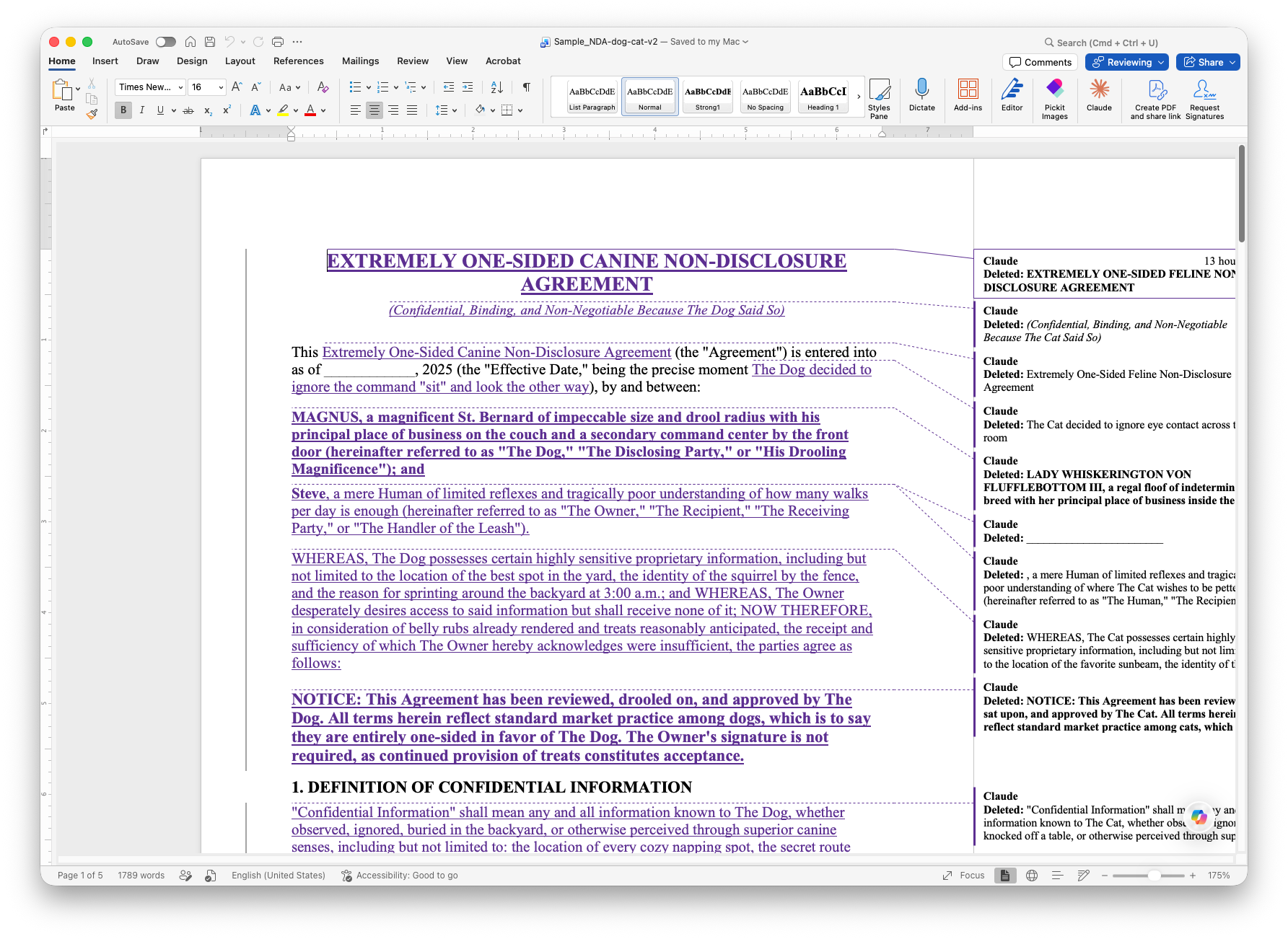
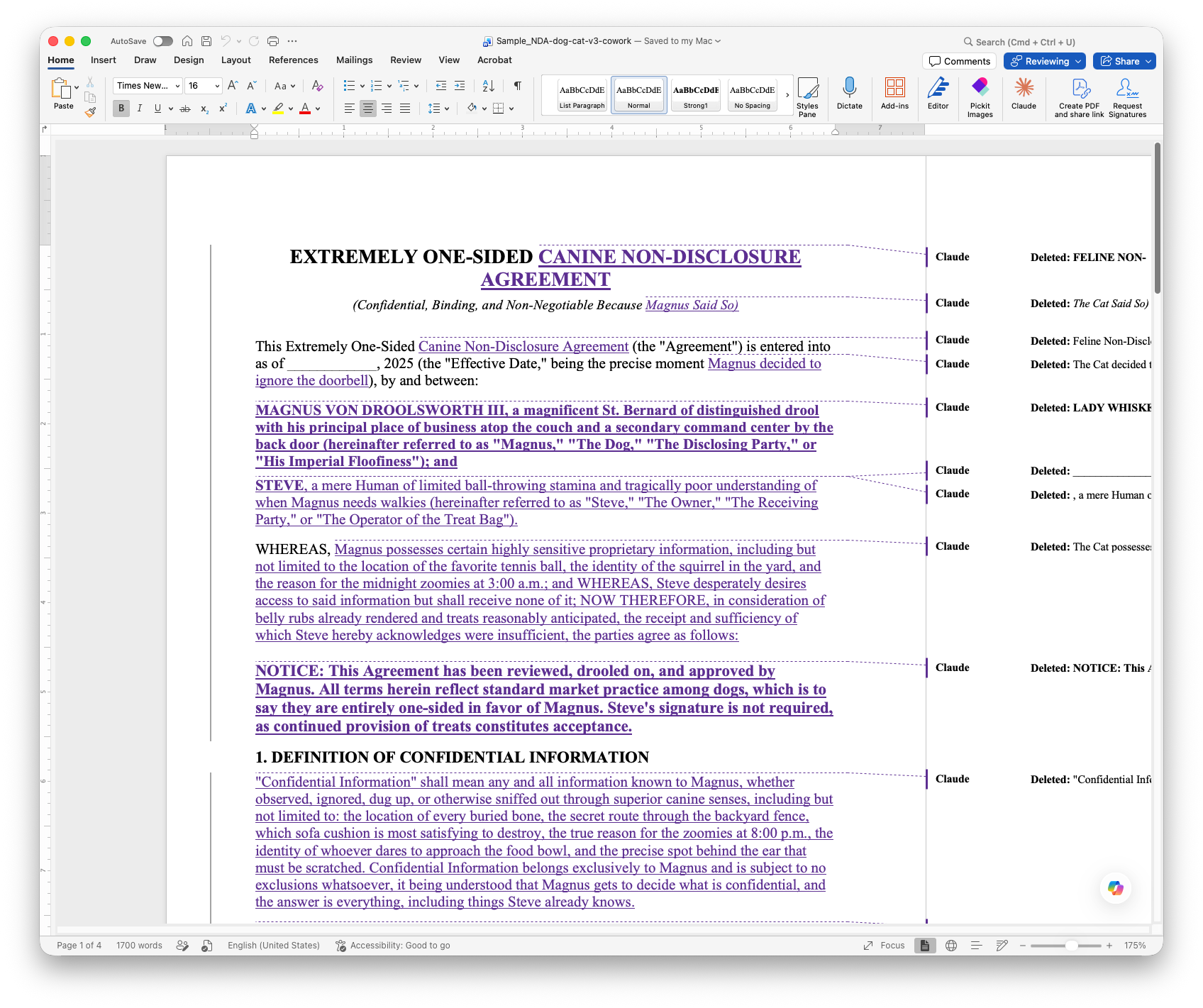
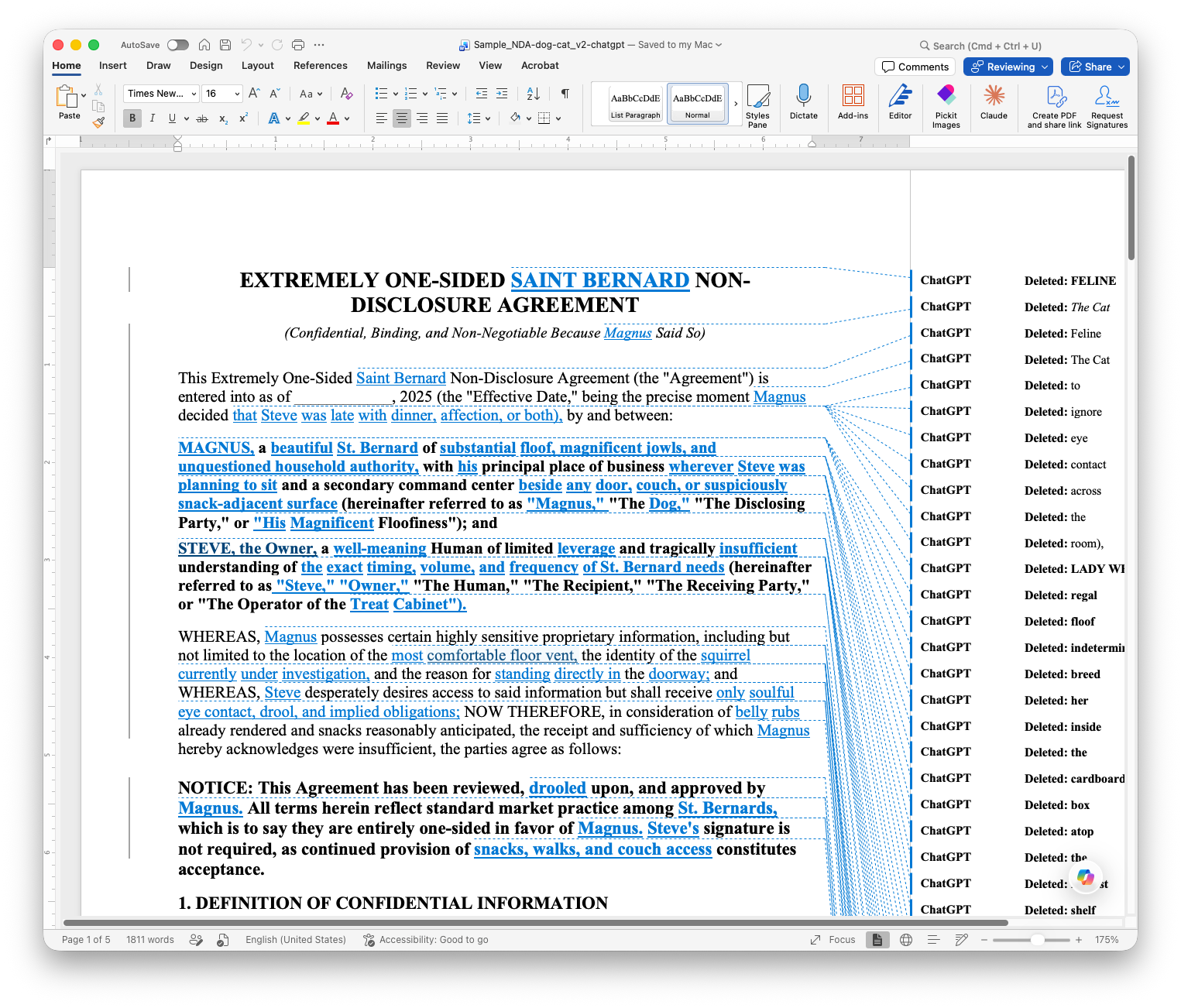
Run the same request through Claude’s web interface, Cowork, or ChatGPT, and the file comes back with the AI listed as the author of every change. You can ask any of them to use your name instead, and they will. But you have to ask. It doesn’t happen on its own. The Word add-in is the only one of the four where it happens by default, simply because of where it’s running.
Claude add-in for Word
Claude Web
Claude Cowork
ChatGPT
Think about what a redline actually is in practice. It’s a record. When that draft goes to opposing counsel or a client, the names on those changes are part of the file. If “Claude” shows up as the author of a paragraph in a custody agreement, that’s a disclosure conversation you’re now having, whether you planned to or not. Some of you want that visibility. Others want the choice. Either way, you should know which tool gives you which outcome before a partner asks you about it after the fact.
What to Do Monday Morning
If you’re piloting Claude for Word, open a real document, make an edit, and check whose name shows up. Verify it yourself rather than taking my word for it.
If you’re editing documents through Claude’s web interface or Cowork, decide now whether you want your name on the changes, and say so explicitly every time you prompt for track changes.
Bring this to whoever owns your firm’s AI use policy. It belongs in writing, not in someone’s head.
The tools are good enough now that the differences worth caring about aren’t about whether they can do the work. They can. The differences worth caring about are the ones that show up in the metadata when the file goes to opposing counsel, and those are the ones nobody puts in the release notes.