

Three Real Problems We Solved with AI in 90 Minutes
TL;DR: During a live client session, we tackled three everyday legal workflow headaches using Gemini: building a custody calendar app, renaming 100+ financial documents in under two minutes, and properly redacting a PDF. No developers required. No IT tickets. Just prompts and results.

Created by ChatGPT Image 1.5
Last week I ran a training session with a family law firm. Ninety minutes. Google Workspace shop, standardized on Gemini.
About halfway through, something clicked. Instead of me showing them features, they started asking, “Could it do this?” And we tried it. Live. No safety net.
Three problems came up. We solved all three. Here’s exactly what happened.
Problem 1: Building a Shared Custody Calendar
The question: “Can Gemini help me mock up a custody schedule so clients can visualize what a 50/50 split actually looks like?”
My first instinct was wrong. We’d just been exploring Gemini’s image generation, so I thought we’d try creating a visual calendar that way.
I prompted: “I’m working on a mock divorce. Create a custody calendar for June and July using a 2-2-3 rotation. Show me the dates in a table first.”
Gemini nailed the table. Clean breakdown. Mom gets Monday-Tuesday, Dad gets Wednesday-Thursday, Mom gets the weekend. Then it flips. Exactly right.
Then I asked it to turn that into a visual calendar, color-coded red for Dad, blue for Mom.
What came back looked impressive for about three seconds. Then I noticed: no days of the week. Random gaps with no color. Numbers that skipped around. A mess.
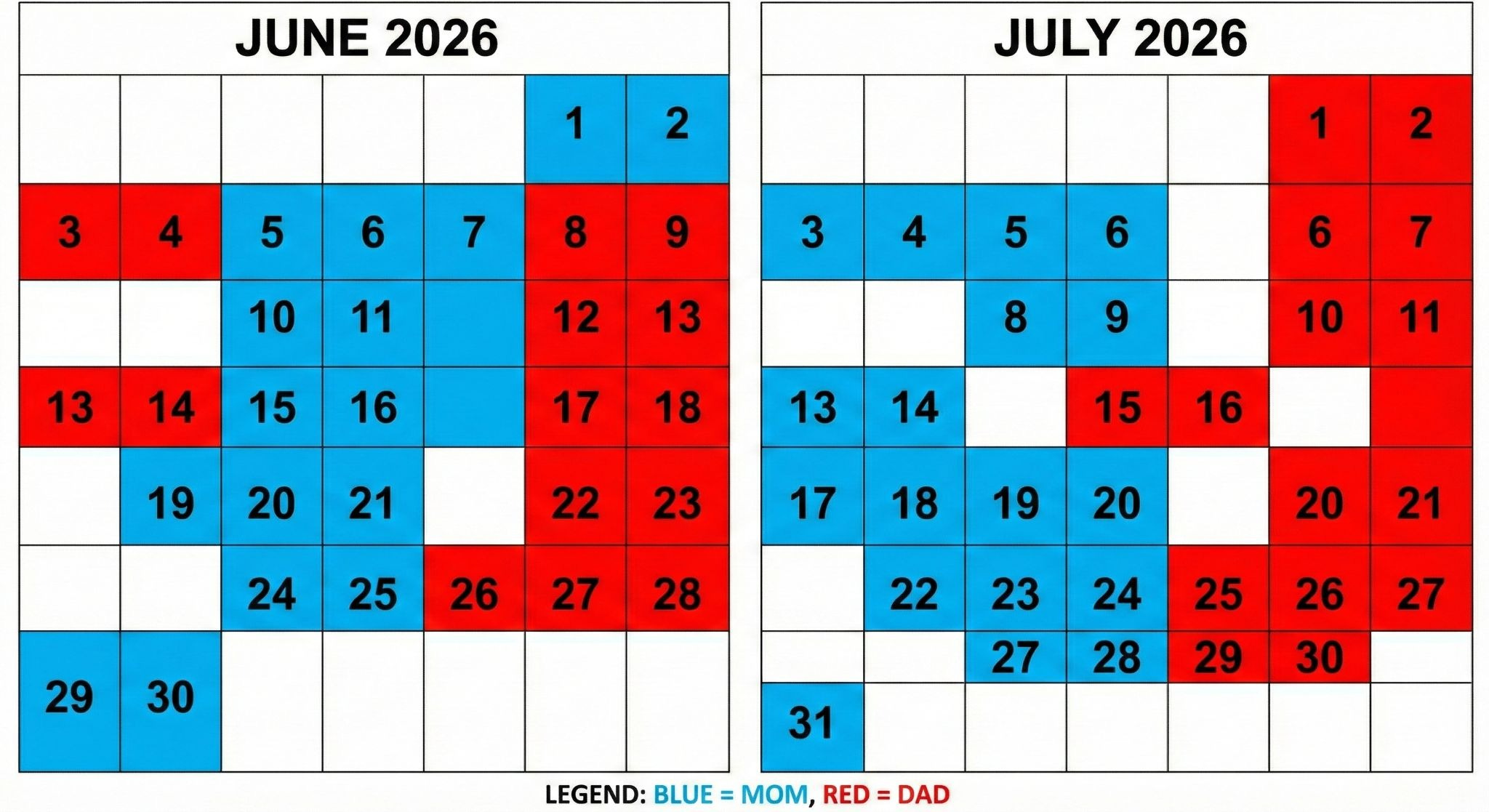
So I tried a different approach. Instead of asking Gemini to draw, I asked it to code.
New prompt: “Here are the custody dates. Write code to build an HTML calendar in the canvas window. Color-code red for Mom, blue for Dad.”
What came back was a working app. Right there in the browser. You could click squares to change custody. See the percentage split update in real time. Switch between months. A functional tool, built in maybe 30 seconds.
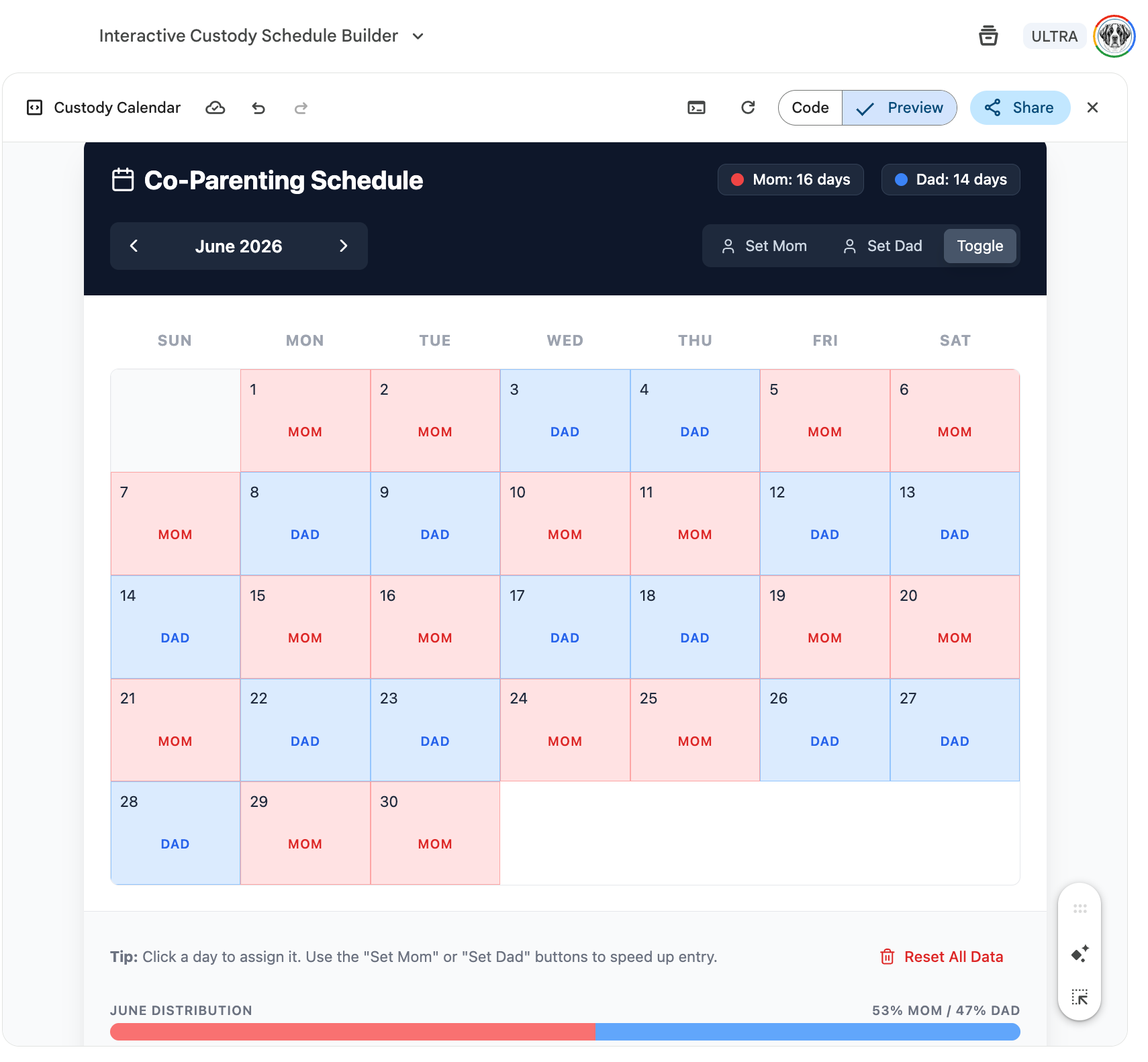
I shared a public link so the attorneys could use it with clients. You can try it yourself: Custody Calendar App
The lesson: when AI struggles with visual generation, ask it to code instead. The results are more reliable and more useful.
Problem 2: Renaming 100+ Financial Documents
Discovery in divorce cases means mountains of documents. Bank statements. Credit card statements. Tax returns. All with useless file names like “Statement_March.pdf” or worse.
The question: “Can AI help us rename all of these to a consistent format?”
Gemini in the browser can’t do this. It doesn’t have access to files on your computer. But Gemini CLI can.
Important caveat before we go further: Gemini CLI’s default privacy settings allow Google to train on your data. You can change this. You should change this before working with client documents. I’m not going to walk through the setup here, but please get this right first.
The naming format they wanted: five-character case code, date in YYYY-MM-DD format, document type, then vendor. Something like: STERL-2026-01-13-credit-card-statement-southwest-visa.
I opened Gemini CLI in the directory with their mock financial documents (over 100 files) and gave it this prompt:
“There are over 100 financial documents here. Rename them using this format: five-character case code, date in YYYY-MM-DD, document type, vendor. Example: STERL-2026-01-13-credit-card-statement-southwest-visa. The case code is STERL. Create a subdirectory called CATEGORIZED. Analyze every file, identify the document type, date, and vendor, then copy each file with its new name into CATEGORIZED.”
It read each document. Figured out what it was. Extracted the date. Identified the vendor. Created proper names. Copied everything into the new folder.
Time to completion: under two minutes.
A paralegal doing this manually? Several hours, minimum. And we kept the originals untouched, just in case something went wrong. (Always keep originals.)
Problem 3: Redacting a PDF Properly
Someone asked, “Can Gemini CLI redact a PDF?”
I wasn’t sure. My guess was yes. Let’s find out.
Here’s what most people don’t realize about PDF redaction: just drawing a black box over text isn’t enough. The text is still there underneath. Someone with basic tools can extract it. To do it right, you need three steps.
First, redact the text. Second, flatten the document to an image (this strips metadata and turns those black boxes into actual pixels). Third, run OCR to make the document searchable again.
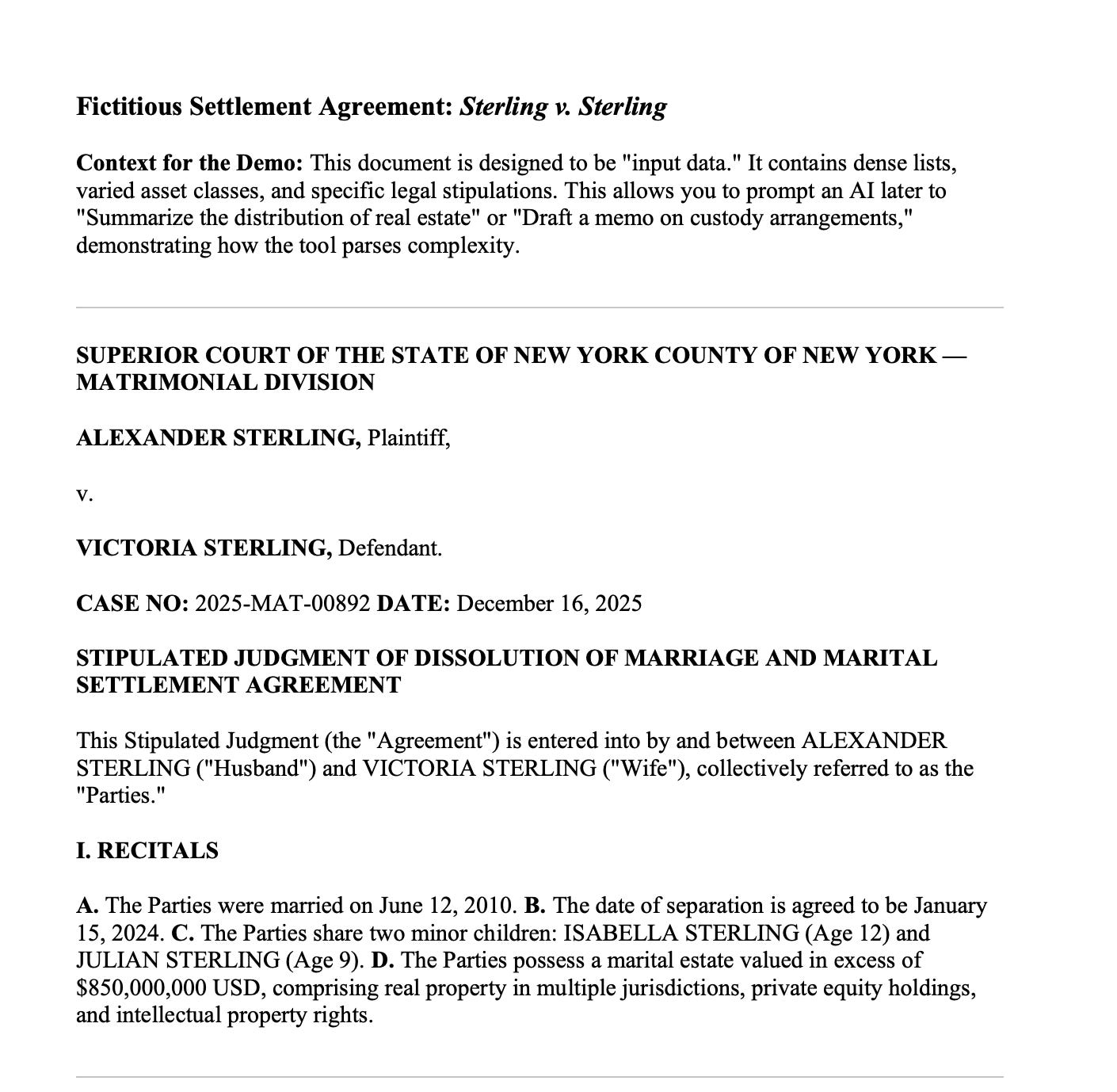
I pointed Gemini CLI at a mock divorce document and prompted:
“For the file 2025-12-16-sterling-divorce.pdf: redact all names, flatten the file to images to remove hidden data, then apply OCR so I have a searchable clean PDF. Save the result as 2026-01-19-redacted-divorce.pdf.”
Gemini wrote the code, ran each step, and delivered a properly redacted document. Names gone. Metadata stripped. Still searchable.
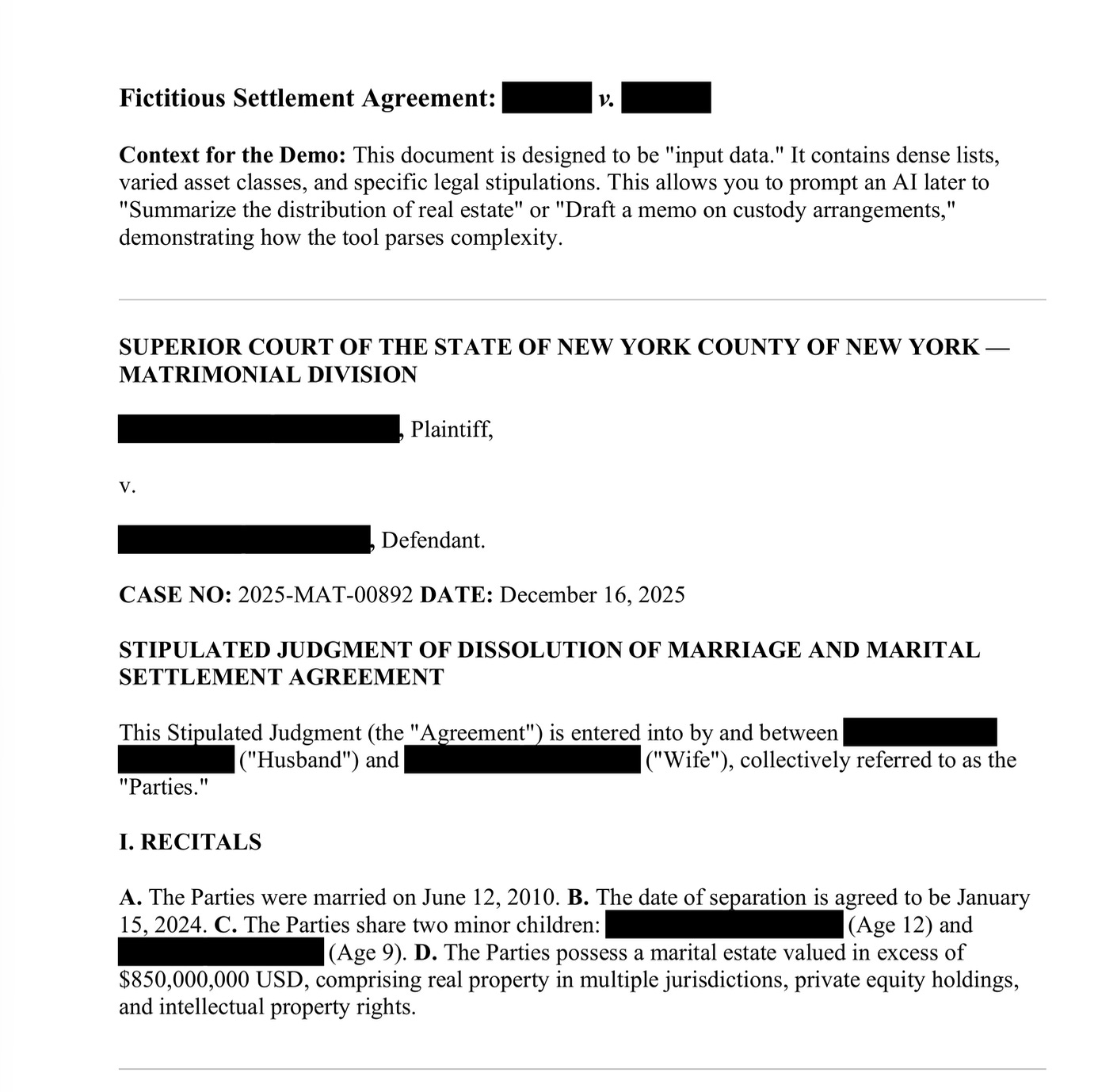
One note: in normal mode, Gemini CLI asks permission before each file operation. Good safety measure. They also have something called “yolo mode” that skips the permission prompts. I used it for this demo. I would not recommend it for anything involving real client data. The permission prompts exist for a reason.
And again: get your privacy settings right before using this on anything sensitive. The tool is powerful. That power cuts both ways.
What This Means for Your Firm
This session changed how I think about AI training. The best learning happens when people bring real problems to the table, and we solve them together.
Three things stood out.
When image generation fails, code generation often succeeds. Gemini couldn’t draw a clean calendar, but it could build a working app in seconds.
CLI tools are where the real productivity gains live. Browser-based AI is useful. But tools that can operate directly on your files? That’s where hours become minutes.
The gap between “possible” and “practical” is closing fast. Six months ago, these workflows would have required a developer. Today, they require a prompt.
What to Do This Week
Try Gemini’s code canvas. Next time you need a simple tool or visualization, ask Gemini to build it as HTML. You might be surprised.
Look into CLI tools. If your firm handles document-heavy work, Gemini CLI (or Claude Code or the brand new Claude Cowork) can save significant time. Start with a test folder. Not client data.
Audit your privacy settings. Before using any AI tool on sensitive documents, understand where that data goes. Default settings are rarely the right settings.
Bring real problems to your next training. The best AI learning is hands-on. Theory is fine. Actually solving a workflow problem? That’s what sticks.
Three problems. Three solutions. No developers. No IT tickets. Just a prompt and a willingness to try.
That’s the shift happening right now. The question isn’t whether AI can help with your workflows. It’s whether you’ll take 90 minutes to find out.
Why I write these articles:
I write these pieces because senior leaders don’t need another AI tool ranking. They need someone who can look at how work actually moves through their organization and say: here’s where AI belongs, here’s where your team and current tools should still lead, and here’s how to keep all of it safe and compliant.
In this article, we looked at what happens when you stop watching AI demos and start solving actual workflow problems. The gap between “possible” and “practical” is closing fast, and firms that figure this out now will have a real advantage.
If you want this for your firm:
I deliver keynotes, workshops, and hands-on training for law firms ready to move from AI hype to AI action. Every session ends with workflows you can use immediately, not slides to review later. I’ve delivered programs for the Beverly Hills Bar Association (next one is January 30th), the Los Angeles County Bar Association, and dozens of firms across California, with upcoming keynotes for AAML’s national conferences this year. CLE is handled.
Email me at steve@intelligencebyintent.com to start the conversation.
Not ready to talk yet?
Subscribe to my daily newsletter at smithstephen.com. Short, practical takes on AI for business leaders who need signal, not noise.
Fantastic breakdown of the three-step redaction process. That flatten-to-image step is the part most people completley miss. Watched too many colleagues just slap black boxes over text thinking thats enough, not realizing metadata extraction tools can pull everything underneath. The fact that Gemini CLI can automate all three steps dunno really closes that vulnerability gap in a practical way.
I found this hugely illuminating and valuable. Seriously!
Regarding the PDF redaction, instead of the black fields, how about making those fields open to be filled in?
But, my first thought was whether I can do something like this with disparate databases in separate applications to deliver one master database for our customers migrating to Venntive. Then, after combining, cleaning, and normalizing field names, creating separate lists based on client-defined parameters to be put into separate Groups.
Guess I'll try this on our own lists pulled from LinkedIn, Google Calendar, GMail, etc. ;-)